 YUNKA MALL
Codex Login Asks for a Phone Verification Code: October 2026 Guide
Codex suddenly asking for phone verification? This October 2026 guide covers why it triggers, which accounts are more likely to be asked, four options (clean network, fresh login environment, Plus upgrade, SMS receiving), the pitfalls of public SMS platforms, and how to enable Authenticator MFA afterward.
Why Codex suddenly asks for phone verification
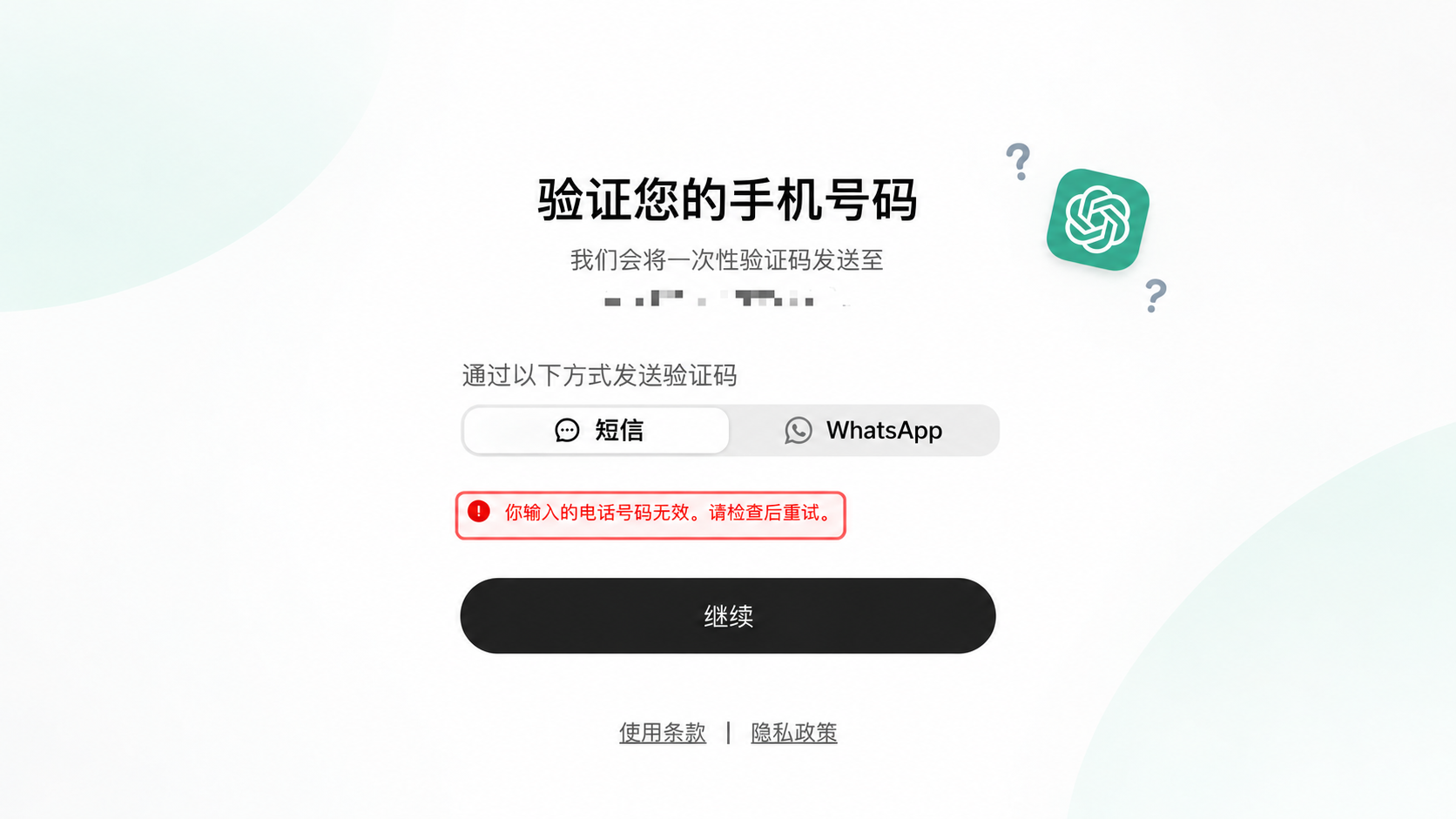
Codex shares the same account and sign-in system as ChatGPT. So when you change devices or networks, or sign in from a command line tool for the first time, the page may ask you to verify your phone number.
In the October 2026 round, many accounts that used to sign in directly are now being asked to verify. OpenAI does not publish the exact rules, but the common pattern is: a big change in the login environment, a fairly new account, or an IP that is judged high-risk. This guide covers the troubleshooting order and the options available.
Which accounts are more likely to be asked
Based on common cases reported by our buyers (not an official list):
- The login IP keeps jumping between countries or regions, especially on new accounts
- The account was registered from a data-center IP, or many accounts were created from the same environment
- Several accounts are signed in from the same device or browser in a short time
- An unclean proxy or public VPN node is in use
- The signup email was generated in bulk (for example many outlook / hotmail accounts)
If one of these applies, do not keep resubmitting the code — repeated failures only make the risk check stricter.
Four options, from cheapest to most direct
Option 1: Use a clean residential network
Check your IP type on ipinfo.io first. Residential or ISP broadband is usually more stable than data-center IPs and public VPNs, and is less likely to trigger risk checks.
- Disable browser proxy extensions and keep one network during the whole sign-in
- Do not switch countries or nodes mid-login
- Keep phone and computer on the same egress network if possible
Option 2: Use a fresh login environment
- Switch to another device or browser, in a private window
- Sign out of other accounts and clear cookies and cache first
- Do not sign in to several accounts from the same browser in a row
- Do not refresh repeatedly or spam “Continue” on the verification page
Option 3: Upgrade to Plus (no guarantee)
Plus removes some usage limits, but under the October 2026 risk checks many accounts that already have Plus are still asked for phone verification. It is worth trying, but do not treat it as a guaranteed bypass.
Option 4: Complete verification with an SMS-receiving number (most direct)
If the first three options still leave you stuck, the most direct way is to complete verification with a number that can receive the code.
Public SMS platforms (for example 5sim.net):
- Pros: cheap, many numbers available
- Cons: numbers are reused heavily, so you often see “number invalid” or “number already used”; most do not support a second verification, so if the account is asked again later the same number cannot receive it; replacement and refund rules depend on the platform
Our US numbers:
- After ordering, follow the SMS link on the order page; the number is usable
- Supports a second verification within a period
- If a number stops working, contact support for a replacement
- Product page: ChatGPT Codex SMS Verification - US number
The full flow with a US number
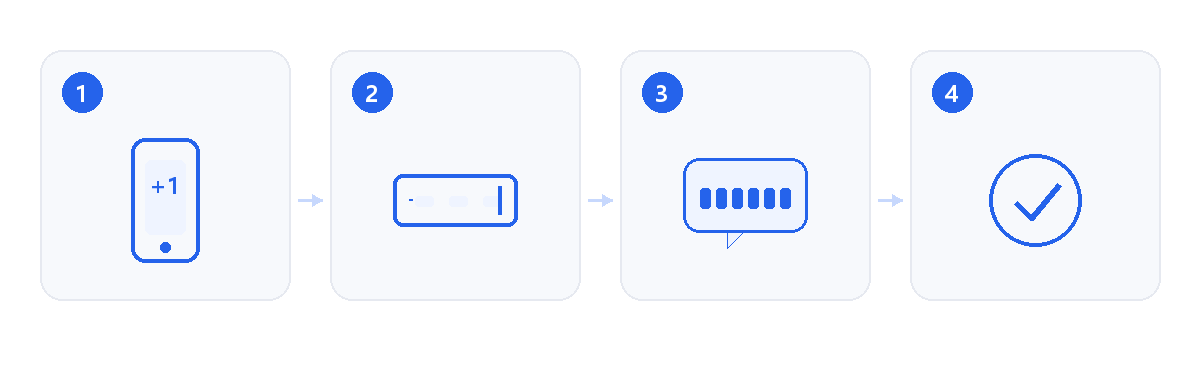
- Open the SMS link: after ordering, the product or order page shows the link with this US number; it normally works for 60–100 days
- Pick the country and enter the number: choose United States (+1), 10 digits only
- Choose SMS: select SMS, not voice call or WhatsApp
- Go back to the SMS link: the message usually arrives in 10–60 seconds; copy the 6 digits
- Type the code: six digits, no spaces. If the page moves on or signs you in, verification is done
“Invalid”, “expired”, “number already used”
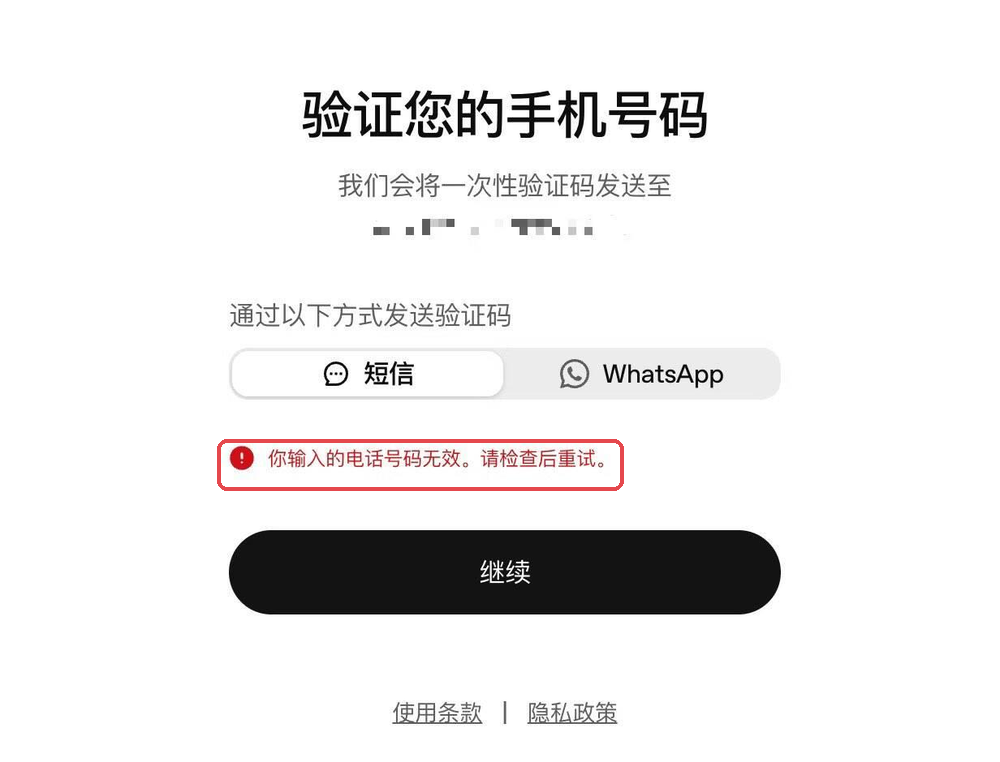
- “The phone number you entered is invalid”: check the format first (
+1, spaces, dashes), then whether the number type is supported, then whether the number is flagged - Invalid: make sure you used the newest message and there are no extra spaces
- Expired: codes last about 5–10 minutes; request a new one from the verification page
- Already used: OpenAI limits how many verifications one number can complete; when it is used up, only a new number works
- Too many attempts: cool down for 30–60 minutes; retrying only extends the wait
Number types OpenAI does not accept
OpenAI's Help Center states that premium numbers, landlines, Google Voice and other VoIP numbers cannot be used for phone verification. So “number invalid” is usually about the number type, not your typing.
OpenAI also documents that the number of verifications one number can complete is limited. That is why an SMS-receiving number is meant for a small number of accounts, not repeated sign-ups.
After verification: enable Authenticator App MFA
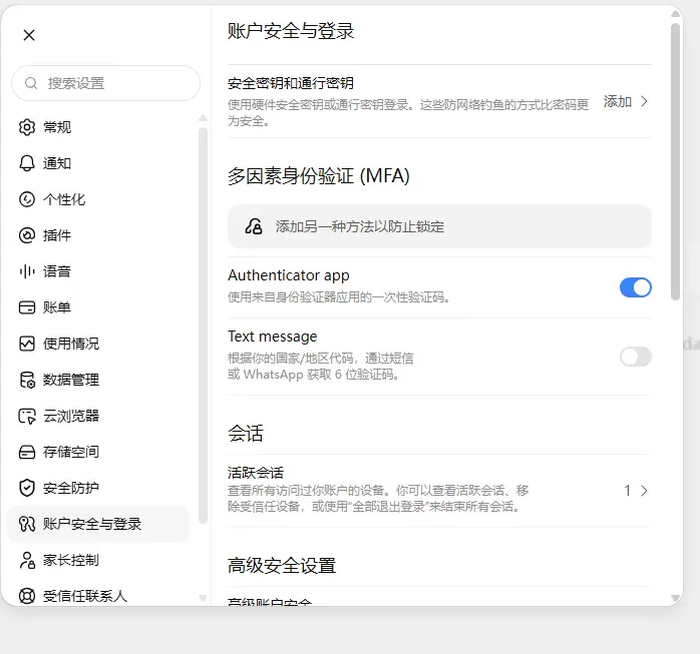
Path:
- ChatGPT avatar (bottom left) → Settings
- Open Security
- Under Multi-factor authentication (MFA), choose Authenticator app
- Scan the QR code with Google Authenticator or Microsoft Authenticator
- Enter the 6-digit one-time code shown in the app
Why do it: on future new-device sign-ins you can verify with the authenticator, reducing reliance on SMS.
One thing to be clear about: enabling Authenticator does not guarantee that phone verification is skipped. If OpenAI tightens the checks further, SMS may still be required; the two are additive, not a replacement.
Safety notes
- Support will never ask for your account password; when a code is needed, you enter it yourself through the order flow
- The SMS link works like a temporary phone number — do not share it
- Follow OpenAI's terms. Frequent region switching, bulk sign-ups or account sharing may get an account restricted; this article lists common troubleshooting ideas, not a guarantee of success
FAQ
Is Codex the same account as ChatGPT?
Yes, they share the account and the login verification.
Does upgrading to Plus skip phone verification?
Not necessarily. Under the October 2026 checks, accounts with Plus can still be asked to verify.
With Authenticator enabled, is the SMS code still needed?
Possibly. They are additive, not interchangeable.
Why do public SMS platforms fail so often?
Numbers are reused heavily and are often marked as already used or high-risk; most platforms also do not support a second verification.
How long does the SMS link last?
Typically 60–100 days; messages sent to the same number stay visible.
What if I still cannot get through?
Follow the steps here, then send a screenshot of the verification page to support — we will help tell whether it is the number or the environment.
Where to buy
US mobile number for SMS verification (supports a second verification):
ChatGPT Codex SMS Verification - US number
Order, then follow the SMS link on the order page.
Sources
- OpenAI Help Center:付费号码、座机、Google Voice 等 VoIP 号码能否用于验证 · 2026-10-19
- OpenAI Help Center:同一个号码可以完成多少次验证 · 2026-10-19
- OpenAI Help Center:为什么会被要求验证登录(一次性验证码 OTP) · 2026-10-19